
AutoCAD’s first command access system was the Command-Line where all commands were and still may be input. This writer believes that once you know the AutoCAD commands and usage, the Commandline is still the fastest and most complete method of operating AutoCAD.
Later AutoCAD introduced the option of command ALIASES such as “L” for “LINE” and “LA” for “LAYER”. The problem is immediately obvious that “LAYER” had to become “LA” because “L” was already used and this in turn created problems in execution of the LAYER command by needing more than single character responses that then demanded an <enter> to terminate the option input. This is true of several commands; resolved by requiring <enter> to confirm every command step of every command.
While AutoCAD was adding aliases this writer was quietly developing a more understandable, more thorough and better planned list of command aliases supported by custom AutoLISP functions that require only single-key responses with immediate execution; NO <enter> for almost all AutoCAD commands, not just the most common, Thus evolved “CADSPEAK” later renamed to “MycadKEYS” that additionally provides many more OSNAP and SELECT OBJECTS options than default AutoCAD commands.
Oddly AutoCAD’s listed alias for “LAYER”, “LA” starts an old version of LAYER whereas “-LAYER” starts a later commandline version

Later still AutoCAD started to introduce Dynamic Dialogues to eliminate much of the typing and struggle with names and command words. Very beneficial for beginners.
“LAYER” starts a Dynamic Dialogue version.
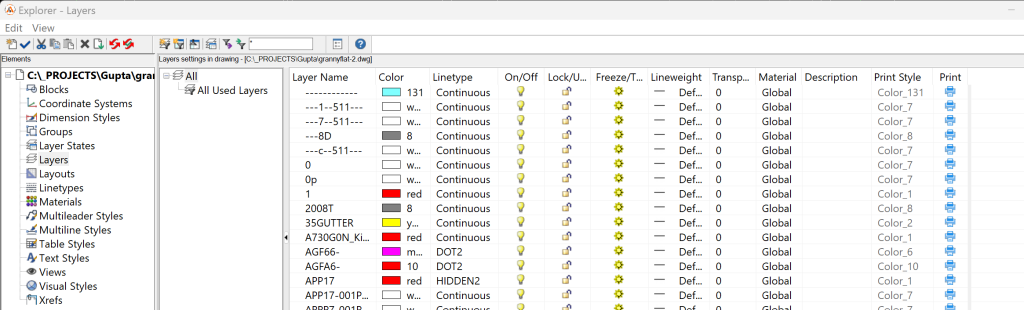
MycadHELPER/MycadKEYS “L” starts a custom Commandline version that provides additional Layer options.
Command: “L” <enter>
Autocad/?/Colour/Desc/dEfpts/Frz/Hilite/|inetype/lenGth/Lk/Make/New/Plot/Resolve/Set/stAte/Thw/Unlk/Weight/eXcl/on&thw/#on*/0-9/<[dialogue]>/<<Set/-off>>/+on/-off
“A” starts the generic AutoCAD command [spacebar] strts MYCADLAYERS custom dynamic dialogue:
Note three differences:
- There are NO multi-character responses – NO <enter> required.
- MycadLAYERSprovides 28 vs 16 possible responses and supports several additional powerful custom Layer functions including automatic layer naming and specification.
- Access is available to AutoCAD’s generic graphical system if required.
Perhaps the biggest change has been the development of graphical menu options now referred to as the RIBBON. Would you believe that this writer has never found the need to use thr RIBBON.
