
Before you read “About MycadLAYERS” first go to “LAYER BYLAYER” and then come back.
MycadLAYERS is a custom Autolisp layer management program
MycadLAYERS offers both a custom designed Layer Naming Standard and the means of automatic Layer creation and management. (“Custom yet Standard?” you might ask.). MycadLAYERS layernames are simpler, shorter, more meaningful and easier to use than most layer standards yet comply with the principles of all major international layer naming standards.
MycadLAYERS is an optional alternative to normal AutoCAD layer naming and management procedures. It dramatically reduces operator effort…how much?…I’m not really sure because it is so long since I have needed to use AutoCAD’s layer management dialogues. But my guess is that for me MycadLAYERS reduces the task to less than half of the time required by conventional means while at the same time ensuring accuracy of naming and adherence to a naming standard.
MycadLAYERS defaults to a Commandline solution but also offers a Dialogue Box method to ensure ease of learning and use for beginners.
Layer names are constructed from seven properties including visual properties, drawing-type, view-point and view-ID (level, section etc.). The key to the system is that MycadLAYERS allows Coincident-Overlay-Modelling (COM) that allows an entire set of drawings; plans, elevations, sections etc. to be created within a single model single file.
MycadLAYERS layernames are optionally five or twelve characters in three or seven fields but even the twelve character names are shorter and more meaningfull than most other Standards. An important difference in MYCADLAYERS is that they include fields for color and line-type that in addition to providing layer separation allow automatic assignment of color and line-type as the layers are created. The standard graphical layer manager tables are not needed except for interrogating drawings from other sources.
MycadLAYERS
- Automates Layer naming. Eliminates confusion, delay and error in layer naming .
- Effective layer naming standard solves Layer NAME problem.
- Supports COINCIDENT OVERLAY MODELLING and WORKZONES.
- Custom Layer MANAGEMENT commands eliminate difficulty of filtering layers.
- Layer States commands not needed.
- Aids viewing and printing
- Reduces drawing file size.
- Produces more intelligent and more accurate drawings
Author’s opinion:
A Layers feature is the single most useful aspect of CAD and every “Layers” tutorial that you will find on the web will advise the use of a Layer naming Standard. But the advice generally stops there because no one seems to have settled on a really workable standard. Both the American and European standards try to be everything to everyone but succeed at being of little use to anyone in their standard form. Nevertheless I strongly advocate the use of a standard of some sort; just not the ones proposed.
Everyone seems to agree that Layers are essential to CAD and a Layer Naming Standard is essential to the effective use of Layers but there are several National Standards and many more Custom Standards and little or no agreement on which one to use. So which Standard should I use? The answer seems to be that you should use the Standard required by your employer as any standard is better than none.
MycadLAYERS, like many other Layer naming standards, extends the properties of objects listed in their database RECORDS by embodying properties in the LAYERNAME itself. In the case of MycadLAYERS these include: Object-type, Color, Line-type, Job-status, Drawing-type, View-point and View-ID. An example layername might be: “BRI 3 7 X 511 P 02” (expanded for readability) that means: “BRIck color3(green) line-type dashed(7), work-phase eXisting, drawing-type 001, Plan-view level 02”. This first defines the building element’s drawn graphics, its project status, and workzone (drawing identity). Looking a little closer it can be seen that the first section is five characters, the second is a single character and the last six.
If a drawing has a simple single purpose there is no need to include the last seven characters. A five character layer name may be sufficient and in fact for many simple drawings any more is a waste of time. So much for complex National Layer-naming Standards. You may wonder why MycadLAYERS LAYERNAMES include Color and Line-type that have no bearing on the nature of the objects being drawn…but be patient and go to the page on Layername Standards for an explanation.
MycadLAYER command aliases
MycadLAYERS is designed to work from commanline aliases such as LM Layer Make and LS Layer Set and provides a full range of automated functions: e.g. Command: L <enter> responds………..
?/-layer/Clr/Desc/dEfpts/Frz/Hilite/|ntyp/lenGth/Lk/Make/New/Plot/Rslv/Set/stAte/Thw/Unlk/Wght/eXcl/*on&thw/0-9/ <[dialogue]>/<>/+on/-off
Each one rquires only a single character input with NO <enter> required.
A typical management command is LR (Layer Resolve) that prompts the user to enter layer field codes for Drawing-type, View-Point and view-ID and will then freeze and thaw relevant layers to reveal the required WORKZONE of the drawing.
LR+ (Layer Resolve plus) andLR- (Layer Resolve minus) allow for various combinations of WORKZONES to be compared for alignments and completeness.
LR is designed for Model-space and a complimentary function WR (Workzone Resolve) manages the VPLAYER command in Paper-space to freeze and thaw the contents of Viewports. MycadLAYERS performs the WR operation automatically, simply by scanning the layer name of each selected Viewport using the embodied Workzone information to automatically VPLAYER FREEZE and THAW layers as required.
AutoCAD’s LAYERSTATE functions can only restore saved collections of layers and ignores any new layers created since a State was saved however MycadLAYERS’ Layer Resolve and Workspace Resolve functions freshly filter ALL layers new and old to produce a correct and up-to-date display thus avoiding the need for new layers to be added by the operator before re-saving the state.
Both of MycadLAYERS interfaces; Commandline and Dialogue Box are much faster and simpler to use than Autocad LAYMAN layer tables. Gone is the problem of remembering how to create new layernames. Command line functions automatically prompt the user through the process of naming. Alternatively, while learning, one can use the built-in layer Dialogue.
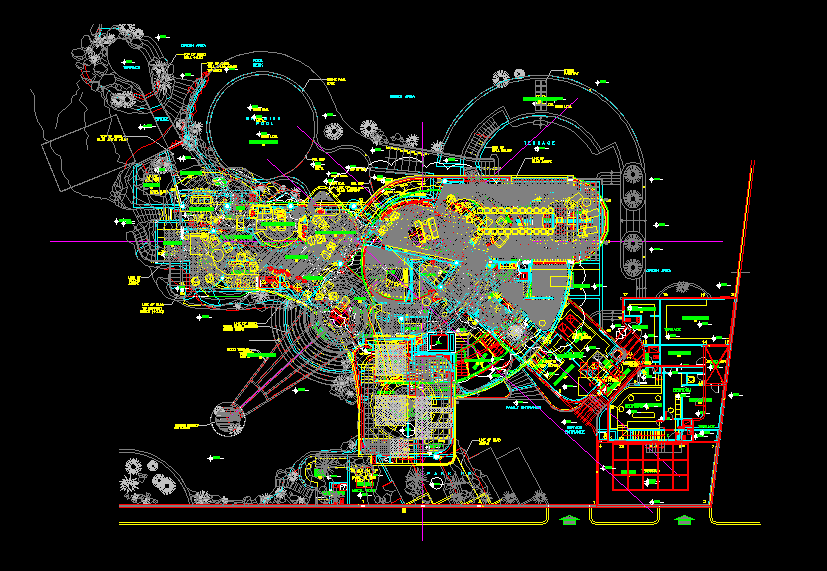
A typical multi-level, multi-drawing type model with five overlaid plans – all layers visible.
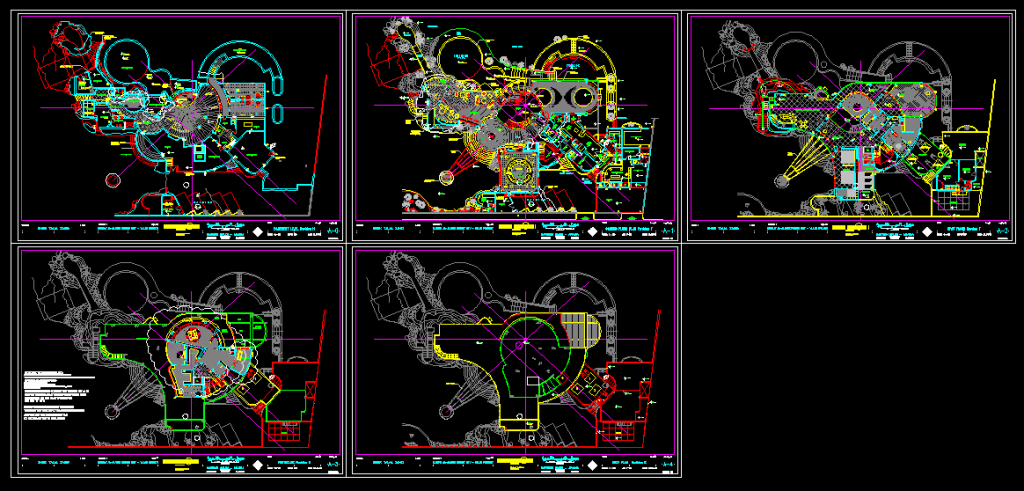
The same drawing in Paperspace with Workzones (Layers) Resolved to display the five separate floor levels:
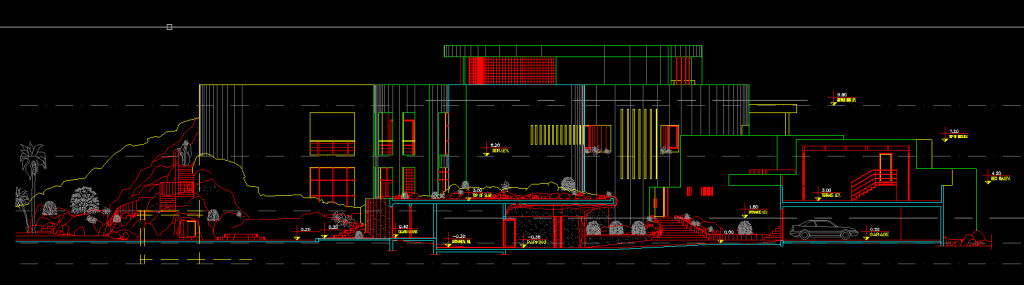
Typical Elevation:
MycadHELPER offers a custom layer naming standard for use in developing and defining layers. This is best explained by reference to MycadHELPER’s Dynamic Dialogue Layer command.
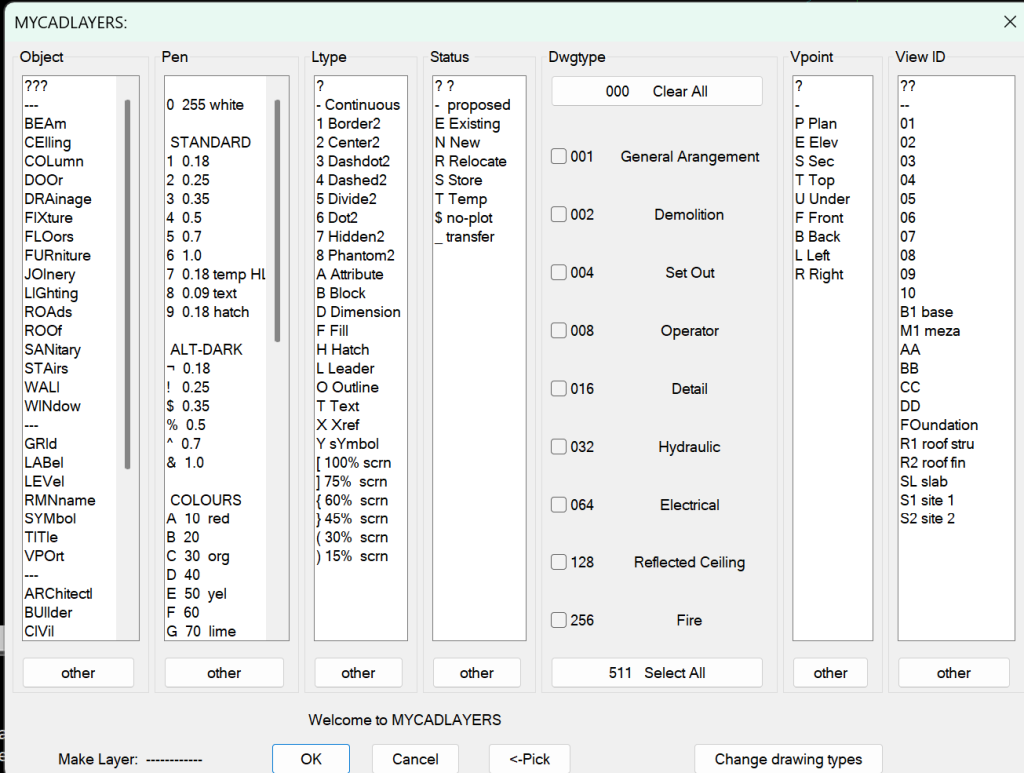
Layernames are made up from seven FIELDs using a total of 12 characters.